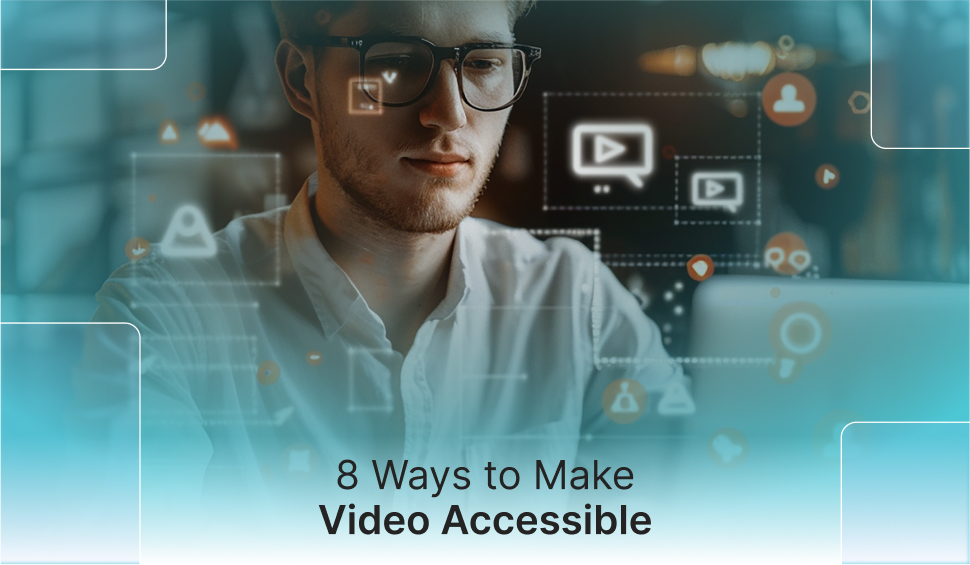
8 Ways to Make Video Accessible
Videos have rapidly become the chosen format for information sharing as they bring more engagement and shares than pictures or text, making videos more commonly available online than ever before. But ensuring that your videos are available for every user out there, even those with disabilities, like those with partial or complete visual and auditory impairments. Making video accessible not only helps users with disabilities, but it also improves SEO while making your videos more entertaining. This blog post will explain practical ways to make your video accessible, besides discussing the tools that could be used to add subtitles easily and rapidly.
Why Should Videos Be Accessible?
Videos require captions to comply with ADA accessibility standards and to support individuals with hearing loss. Beyond these needs, captions improve SEO, as search engines can read the text linked with videos, helping them rank higher in search results. This is known as video SEO.
Additionally, 75% of people watch videos on mute, often due to a lack of headphones or noisy environments. Captions ensure these videos are still accessible and effective for a wider audience. In this blog post, we’ll explore simple, time-efficient ways to add captions or transcripts, along with best practices. But first, let’s define captions and transcripts.
What does it take to make Videos Accessible?
Making video accessible requires text that represents sound. This can comprise a text transcript, posted on the same page as the video, or captions during the video. Your selection of method relies on the aim and kind of video you have. For instance, transcripts are usually used in some podcasts, specifically for hearing-impaired users and for SEO value. Whereas, captions are more likely to be used in shorter videos with more action.
What Are Transcripts and When Are They Used?
A transcript is a complete written record of the verbal communication, dialogue, and sound effects in a video. It should include all essential content, removing only disruptive stutters or hesitations, and avoid omitting off-topic sentences to preserve the message. Time marks, aligned with key moments, such as questions or topic shifts, are also helpful.
Transcripts are ideal for making videos accessible, especially for informational content like podcasts, essays, interviews, or speeches. However, if the video relies on actions or movements, a transcript may not be the best option.
What are Captions, and when are they used?
Captions are on-screen text that represents spoken dialogue and important sound effects in a video. If captions do not match the timing of dialogue, sound effects, or monologues, the video’s content won’t be accurately conveyed. Descriptions of sound effects, like a door closing or soft laughter, can help clarify situations.
Captions are ideal for short videos or those where speech or sound effects are crucial, such as ads, movies, music videos, and how-to videos.
Key Ways to Make Videos Accessible
There are numerous ways to add captions or transcripts to your video, ranging from accurate but time-consuming to quicker but less precise. You can do it yourself or hire a professional service. Here are a few of the key ways to make videos accessible.
- Video Editing Programs
Most of the video editing programs, such as AVS Video Editor, iMovie, Adobe Premiere, and some others, enable you to add captions to your video within the software.
- YouTube
The video-sharing platform YouTube automatically generates subtitles for some videos. For others, you can upload your own captions when publishing the video. Keep in mind that auto-generated captions are not always accurate, so it’s a good idea to review and edit them as needed.
- Paid Caption Services
If you have a long video or you do not have enough time to add captions yourself, paid services like Dotsub will do it for you. You simply upload your video, pay for the service, and they will caption your video with rapid turnaround. Other services, such as 3PlayMedia, Automatic Sync Technologies, and cielo24, would also add captions for a fee.
- Free Caption Services
Amara.com is a web-based non-profit platform that enables you to add captions and translate them into other languages when required. The service is free and supports partnership with team members. Other tools, such as Closed Caption Creator and Kapwing, offer similar features.
- Transcription Programs
If you’re looking for a transcript instead of captions, several programs could help. InqScribe, for instance, lets you type out transcripts while watching the video, so that you can easily play, pause, and rewind without using a mouse. Other tools like NCH Software, FTW Transcriber, and similar programs offer comparable features.
- Paid Transcripts
Services such as Scribie, along with numerous independent contractors on sites such as People Per Hour or Upwork, would transcribe your videos and audio files for you. Keep in mind that precision relies on the transcriptionist’s skill, so you might pay more for improved quality transcription.
- Voice Recognition Transcripts
Software like Designrr distinguishes words automatically and changes them into transcripts. This software is perfect for long transcripts that may be made into books or other media, similar to how Trint works.
- Word Expanding Software
Programs such as Fast Fox and Swift Text make it easier for you to transcribe videos or audio yourself by offering a collection of text shortcuts. You could do this yourself by personalizing your autocorrect settings, but some people select a different program.
Conclusion
Making your videos accessible isn’t just about meeting legal standards; it’s about crafting comprehensive, intriguing content for everyone, irrespective of ability. By incorporating captions or transcripts, you support users with visual or hearing impairments while improving your video’s understandability and reach. Whether you’re working individually or with a service, even small steps toward accessibility can make a huge impact on your audience.
How WAC Can Help
WAC (Web Accessibility Checker) supports businesses to create inclusive digital experiences by providing advanced tools for accessibility compliance. Whether you want to add transcripts to videos or enhance the overall site usability, WAC ensures your content aligns with ADA and WCAG standards. From accessibility audits and real-time monitoring to a personalized accessibility widget for your site, WAC offers everything you need to ensure your digital content is accessible to all. With WAC, your website and media can reach wider audiences, positively, accommodatingly, and collectively.
Scan Videos for Accessibility Issues Today
Let's Connect

 Let's Discuss Your Tech Solutions